Productivity
9 min read
The Complete Guide to Web Design: UI/UX, Trends & Best Practices in 2026
Written By:
iWebDsign Team
Date:
May 13, 2026
The Complete Guide to Web Design: UI/UX, Trends & Best Practices in 2026
By iWebDsign Team | 18 May 2026 | 22 min read
Your website is no longer just a digital business card. In 2026, it is your most persuasive salesperson, your first impression on every potential client, and often the single deciding factor between a visitor choosing you or clicking over to a competitor. If your web design guide 2026 reading list starts here, you are in the right place.
In the past five years, what constitutes a “good” website has shifted dramatically. Visitors have grown more discerning, search engines have become stricter about performance and experience signals, and the tools available to designers and developers have become more powerful — and more complex — than ever before. Keeping up requires more than a fresh coat of paint every few years; it requires a clear, principled approach to design that balances aesthetics, usability, and business strategy.
This guide covers everything you need to know: the core principles of UI and UX design, the technical performance benchmarks your site must hit, the trends worth adopting (and the ones to avoid), and the step-by-step mindset that professional web design agencies use when building sites that actually convert. Whether you are planning your first website or considering a long-overdue redesign, the insights here will help you make smarter, more confident decisions.
Table of Contents
- What Web Design Actually Means in 2026
- UI vs. UX: Understanding the Foundations
- The Core Design Principles Every Website Must Follow
- Performance & Technical Excellence: The Non-Negotiables
- Web Design Trends in 2026: What to Adopt and What to Skip
- Mobile-First Design: Designing for How People Actually Browse
- Designing for Conversion: Turning Visitors into Clients
- How Web Design Directly Impacts Your SEO
- How to Choose the Right Web Design Partner
- Frequently Asked Questions
- Conclusion
<h2 id="what-is-web-design">What Web Design Actually Means in 2026
Ask ten people what web design means and you will get ten different answers. Some will talk about colour palettes and typography. Others will mention responsive layouts or page speed. A few might bring up branding strategy or conversion funnels. They are all right — and that is precisely the challenge.
Web design in 2026 is a multidisciplinary practice. It sits at the intersection of visual communication, psychology, technology, and business strategy. A truly well-designed website is not simply one that looks beautiful; it is one that communicates clearly, loads fast, adapts seamlessly across devices, guides users toward meaningful actions, and does all of this in a way that feels effortless and intuitive to the person using it.
The Shift from Aesthetics to Experience
For most of the early internet’s history, web design was largely a visual exercise. Designers competed to make pages look impressive — gradient buttons, animated intros, Flash-based splash screens. The user’s experience was an afterthought.
That era is firmly over. Today, the most respected and successful websites prioritise experience above ornamentation. This does not mean they are bland or minimal (though minimalism has its place); it means every visual and functional decision is made in service of the user’s journey. Colour is chosen not just for beauty but for readability and emotional resonance. Layout is determined not by trend but by how the human eye naturally moves through a page. Interactions are designed to feel responsive and rewarding rather than flashy and disorienting.
Why Your Website’s Design Directly Affects Revenue
The business case for investing in great web design has never been clearer. Research consistently shows that users form an opinion about a website within 50 milliseconds — before they have read a single word. First impressions are dominated almost entirely by design. If your site feels outdated, cluttered, or confusing in that first fraction of a second, the majority of visitors will leave before you have had a chance to make your case.
Beyond first impressions, design influences every step of the customer journey. A well-structured navigation reduces friction and helps visitors find what they need quickly. A compelling visual hierarchy draws the eye toward your key messages and calls to action. Thoughtful use of whitespace and typography makes content easier to read and digest. Each of these elements, working together, can meaningfully increase the percentage of visitors who take the action you want them to take — whether that is booking a call, making a purchase, or submitting an enquiry.
At iWebDsign, every project we undertake starts with a clear understanding of the business objectives the website must serve. Design decisions flow from strategy, not the other way around.
The Components of Modern Web Design
Modern web design encompasses several distinct but interconnected disciplines. Visual design covers the aesthetic elements: colour, typography, imagery, iconography, and spacing. Interaction design deals with how elements behave when users engage with them — hover states, transitions, form feedback, and micro-animations. Information architecture is concerned with how content is organised and labelled so that users can navigate intuitively. Content design is the craft of writing and structuring copy so that it communicates clearly and persuasively. And technical implementation is where design is translated into functioning code that performs reliably across browsers and devices.
Great web design requires all of these components to work in harmony. A beautiful site with confusing navigation fails. A technically fast site with weak copy underperforms. Understanding how each piece contributes to the whole is the first step toward making smarter design decisions.
<h2 id="ui-ux-fundamentals">UI vs. UX: Understanding the Foundations
Few terms in the web design world are more frequently confused than UI and UX. They are often used interchangeably, occasionally treated as synonyms, and sometimes lumped together as though they are the same thing. In reality, they are distinct disciplines that complement each other — and understanding the difference will dramatically improve the quality of your thinking about your website.
What is User Interface (UI) Design?
User interface design is the practice of crafting the visual layer of a digital product — the things users see and interact with directly. This includes buttons, form fields, menus, typography, colour schemes, icons, and every other visual element that makes up the surface of a website or application. UI designers are concerned with how things look: how elements are styled, how they are spaced, and how the visual language communicates the product’s personality and purpose.
Good UI design is not just about making things pretty. It is about making the interface immediately legible and intuitive. A button should look like a button. An error message should look like an error message. The visual design should reduce cognitive load — the mental effort required to understand and use the interface — by leveraging conventions users already understand and by creating clear visual hierarchies that guide the eye naturally.
What is User Experience (UX) Design?
User experience design takes a broader view. Where UI design is concerned with the surface, UX design is concerned with the entire journey. It encompasses how a user moves through a website, how they find what they need, how they feel at each stage of their interaction, and whether the overall experience achieves their goals and serves the business’s objectives.
UX designers work with research, personas, user journey maps, wireframes, and usability testing. They ask questions like: What are users trying to accomplish? Where do they get confused or frustrated? What information do they need, and when do they need it? How can the structure of the site be organised to minimise friction and maximise clarity?
The Nielsen Norman Group, widely regarded as the world’s leading authority on UX research, defines user experience as encompassing “all aspects of the end-user’s interaction with the company, its services, and its products.” This is a usefully broad framing — it reminds us that UX is not limited to the website itself but extends to the entire relationship between a business and its customers.
How UI and UX Work Together
The relationship between UI and UX is best understood through an analogy. Think of a restaurant. The UX is the overall dining experience: how easy it is to make a reservation, how welcoming the entrance feels, how logically the menu is organised, how attentive the service is, how smoothly the payment process works. The UI is the physical elements you interact with directly: the design of the menu, the style of the tableware, the lighting, the décor. Both matter enormously. A beautiful restaurant with disorganised service disappoints. A perfectly organised restaurant with ugly, confusing menus frustrates. Excellence requires both.
On the web, this means your site needs to be both visually excellent and functionally coherent. Investing in one without the other is money left on the table. That is why the most effective web design processes treat UI and UX not as separate phases but as deeply integrated concerns that inform each other throughout the project.
<h2 id="design-principles">The Core Design Principles Every Website Must Follow
Regardless of industry, audience, or aesthetic style, certain design principles underpin every successful website. These are not trends — they are enduring truths about how humans perceive and process visual information. Violate them and your design will feel off, even to visitors who cannot articulate why. Apply them consistently and your site will feel professional, trustworthy, and easy to use.
Visual Hierarchy
Visual hierarchy is the principle that not all elements on a page are equal, and the design should clearly signal which elements are most important. This is achieved through size, weight, colour, contrast, and placement. The most critical information — your headline, your primary call to action, your key value proposition — should be the most visually prominent. Supporting information should be visually subordinate.
When hierarchy breaks down — when everything on the page is the same size, weight, and colour — users are left without guidance. Their eyes have no natural starting point, their attention is scattered, and they are likely to leave without absorbing your most important messages. Establishing clear hierarchy is one of the highest-leverage design decisions you can make.
Consistency and Coherence
Consistency builds trust. When design elements behave predictably — when buttons always look the same, when headings follow a consistent typographic scale, when the navigation appears in the same place on every page — users feel confident and in control. Inconsistency, by contrast, creates a sense of disorder and raises subconscious doubts about the professionalism of the organisation behind the site.
Coherence extends beyond individual elements to the overall visual language of the site. Typography, colour, imagery style, and iconography should all feel like they belong to the same family. This is what designers mean when they talk about a design system — a set of shared principles and components that ensure everything hangs together visually and functionally.
Whitespace and Breathing Room
One of the most common mistakes in web design — especially for businesses designing their own sites — is a fear of whitespace. The impulse to fill every available pixel with content or imagery is understandable but counterproductive. Whitespace (also called negative space) is not wasted space; it is the design equivalent of silence in music. It gives the eye somewhere to rest, separates elements so they can be perceived individually, and makes the remaining content feel more important and easier to absorb.
Research consistently shows that generous whitespace improves readability and comprehension. It also conveys quality and confidence — think about how premium brands use space in their advertising and packaging. Embracing whitespace is one of the fastest ways to make a design feel more sophisticated and trustworthy.
Accessibility by Design
Accessible design is not a compliance checkbox; it is good design. When you design for accessibility — sufficient colour contrast, readable font sizes, keyboard-navigable interfaces, meaningful alt text for images — you improve the experience for everyone, not just users with disabilities. Large text is easier for everyone to read. High contrast is easier for everyone to perceive, especially in bright ambient light. Clear, logical navigation benefits every user.
Beyond the ethical imperative, accessibility also has direct SEO benefits. Search engines, in many ways, experience your site the way a screen reader does — they process text, follow links, and interpret structure. Well-structured, semantically correct, accessible HTML is also highly crawlable HTML.
Purposeful Use of Colour and Typography
Colour and typography are two of the most expressive tools in a designer’s toolkit, and two of the most frequently misused. Colour carries psychological weight — blue conveys trust and stability, green suggests growth and health, red signals urgency or passion — and should be chosen in conscious alignment with your brand values and your audience’s expectations. Typography sets the tone of your voice: a serif typeface suggests tradition and authority; a clean sans-serif projects modernity and clarity; an unconventional display typeface signals creativity and distinctiveness.
The key is intentionality. Every colour and type choice should be made because it serves a clear purpose — not because it looked nice in isolation or was trending on design social media. As the Smashing Magazine guidelines for web typography note, the goal is always legibility, personality, and hierarchy, in that order.
<h2 id="performance-and-technical">Performance & Technical Excellence: The Non-Negotiables
Design is not just what you see — it is also how fast you see it, how reliably it works across devices, and how smoothly it responds to your input. Technical performance is a core component of web design quality, and in 2026, the standards have never been higher.
Core Web Vitals: Google’s Performance Standard
Google’s Core Web Vitals — a set of performance metrics that measure loading speed, visual stability, and interactivity — have been a confirmed ranking factor since 2021. In 2026, they remain one of the most important technical benchmarks for any website. The three primary metrics are:
- Largest Contentful Paint (LCP): Measures how quickly the largest visible element (usually a hero image or headline) loads. Target: under 2.5 seconds.
- Interaction to Next Paint (INP): Replaced First Input Delay in 2024 and measures the overall responsiveness of a page to user interactions. Target: under 200 milliseconds.
- Cumulative Layout Shift (CLS): Measures visual stability — how much elements move around unexpectedly as the page loads. Target: under 0.1.
Failing these metrics does not just hurt your search rankings; it hurts your conversion rates directly. Google’s own research found that as page load time increases from one second to three seconds, the probability of a mobile user bouncing increases by 32%. You can assess your site’s performance using tools at web.dev/vitals or Google’s PageSpeed Insights.
Image Optimisation
Images are typically the single largest contributor to page weight and loading time. In 2026, there is no excuse for serving oversized, unoptimised images. Best practices include using modern image formats like WebP or AVIF, which provide dramatically better compression than JPEG or PNG at equivalent quality; implementing lazy loading so images below the fold are only loaded when needed; and specifying width and height attributes on image elements to prevent layout shift during loading.
A well-optimised image strategy can reduce a page’s total transfer size by 50% or more — the single highest-impact performance improvement available for most websites.
Hosting, CDN, and Infrastructure
Your hosting environment has a direct impact on your website’s speed and reliability. Shared hosting plans that cram thousands of sites onto a single server introduce unpredictable performance. Quality managed hosting — particularly for WordPress sites — on platforms with SSD storage, built-in caching, and global content delivery networks (CDNs) can dramatically reduce time to first byte (TTFB) and serve your site quickly to visitors regardless of their geographic location.
For businesses that depend on their website for lead generation, the difference between a site loading in 1.2 seconds and one loading in 3.5 seconds can translate directly into dozens of lost enquiries every month. Infrastructure is not glamorous, but it is foundational.
Code Quality and Clean Architecture
Under the hood, a well-built website is one where the code is clean, semantic, and efficient. Bloated themes loaded with unused CSS and JavaScript, poorly structured HTML that confuses both browsers and search engines, and third-party scripts that block rendering — these are the invisible enemies of site performance and SEO. Professional web development prioritises clean architecture, minimal dependencies, and code that is maintainable and scalable over time.
<h2 id="web-design-trends-2026">Web Design Trends in 2026: What to Adopt and What to Skip
The web design landscape evolves constantly, and 2026 has brought a particularly interesting mix of directions — some genuinely useful, some transient, and some that look impressive on design portfolios but create real problems in production. Here is an honest assessment of what is worth your attention.
Trends Worth Adopting
Purposeful micro-animations. Subtle, functional animations — a button that gives satisfying tactile feedback when clicked, a form field that gently highlights when focused, a card that lifts slightly on hover — improve the perceived quality and responsiveness of an interface without adding cognitive noise. The key word is purposeful: animations should communicate state changes and reward interaction, not exist purely as decoration.
Authentic, contextual photography. The era of generic stock photography — smiling people in headsets, handshakes in front of abstract backgrounds — is fading. Visitors have developed strong stock photo radar and respond far better to authentic, contextual imagery that reflects the real people, places, and work behind the brand. Custom photography or carefully curated, natural-feeling imagery consistently outperforms corporate-feeling stock.
Bold, intentional typography. With high-resolution screens now ubiquitous, large, expressive display typography is having a genuine moment. When used with restraint and purpose, a striking headline typeface can communicate personality and establish hierarchy more powerfully than any image. This trend rewards businesses with a clear brand voice and enough design confidence to let the type speak.
Dark mode support. A growing proportion of users prefer dark mode interfaces, particularly on mobile. Building sites with thoughtful dark mode support — rather than simply inverting colours — improves accessibility, reduces eye strain in low-light environments, and signals technical sophistication.
Trends Worth Skipping
Excessive parallax scrolling. Parallax effects — where background elements move at a different speed than the foreground as you scroll — have been “trendy” for a decade and remain popular in design showcases. In practice, they frequently cause performance problems, create disorientation on mobile devices, and can severely harm accessibility for users with vestibular disorders. Unless implemented with extreme care, the cost typically outweighs the benefit.
Auto-playing video heroes. A full-screen video playing in the background of your homepage hero might seem like a powerful first impression. In practice, it slows page loading significantly, chews through mobile data allowances, distracts attention from your actual message, and often fails gracefully on slow connections. A high-quality static image with strong copy almost always outperforms a video hero in both performance and conversion metrics.
Cursor customisation. Custom cursors were a charming feature in early-2000s websites and have resurfaced as a quirky design touch in some creative portfolios. For the vast majority of business websites, they serve no purpose, confuse users, and introduce accessibility complications. Unless you are building a brand experience where this level of whimsy is central to the concept, skip it.
<h2 id="mobile-first">Mobile-First Design: Designing for How People Actually Browse
If there is one principle that has moved from “best practice” to “absolute requirement” in the past decade, it is mobile-first design. In 2026, the majority of web traffic globally comes from mobile devices. On many business categories — restaurants, local services, healthcare providers, coaches — mobile accounts for 70% or more of all visits. Designing your website primarily for desktop and then adapting it for mobile is designing for a minority use case first.
What Mobile-First Design Actually Means
Mobile-first design does not simply mean making your desktop site smaller. It means starting the design process with the most constrained context — a small screen, slow connection, touch input, limited attention — and designing an experience that works beautifully within those constraints. When you add complexity for larger screens, you are progressively enhancing an already excellent experience rather than trying to squeeze a complex desktop layout into a small space.
In practice, this means simplifying navigation structures so they work well as a tap-friendly menu. It means ensuring tap targets (buttons and links) are large enough to be reliably tapped with a finger — the Web Content Accessibility Guidelines recommend a minimum of 44×44 pixels. It means placing the most important content and calls to action early in the scroll, where mobile users are most engaged. And it means testing every layout decision on real mobile devices, not just by resizing a browser window on a desktop.
Google’s Mobile-First Indexing
Since Google completed its rollout of mobile-first indexing, the search engine now uses the mobile version of your site as the primary basis for indexing and ranking. If your mobile experience is degraded — with hidden content, slow performance, or broken navigation — your search rankings will suffer, even for users searching on desktop. This makes mobile excellence a direct SEO priority, not just a user experience nicety.
Touch Interaction Design
Touch interfaces have different interaction patterns than mouse-driven interfaces, and these differences matter in design. There are no hover states on touch screens — interactive elements must communicate their function without relying on mouse-over effects. Swipe gestures can be powerful navigation tools but must be implemented predictably and with appropriate affordances so users know they exist. Forms — traditionally a pain point on mobile — require particular attention to input type selection, autocomplete support, and field label placement to minimise friction.
Investing in excellent mobile form design alone can meaningfully increase your mobile conversion rate. If your enquiry or booking forms frustrate users on mobile, you are losing leads every single day.
<h2 id="conversion-design">Designing for Conversion: Turning Visitors into Clients
A website that looks great but generates no business is ultimately a vanity project. The highest purpose of your website is to move visitors toward the actions that grow your business — enquiries, bookings, purchases, sign-ups. Designing for conversion means making that journey as clear, compelling, and friction-free as possible.
The Hierarchy of Conversion Elements
Not all page elements contribute equally to conversion. The elements that matter most — in rough order of impact — are:
- The headline: The first thing visitors read, and the most powerful determinant of whether they keep reading or leave. A compelling headline communicates a clear, specific benefit and speaks directly to the visitor’s most pressing concern.
- The primary call to action: Should be visually prominent, use action-oriented language, and appear above the fold — visible without scrolling — on both desktop and mobile.
- Social proof: Testimonials, case studies, client logos, and review ratings address the most common purchase anxiety: “Can I trust these people?” Social proof is one of the most powerful conversion levers available to any business website.
- Trust signals: Industry memberships, certifications, security badges (for e-commerce), media mentions, and clear contact information all reduce the perceived risk of taking action.
- Supporting copy: Concise, benefit-focused, and structured for scanning with subheadings and short paragraphs.
Reducing Friction
Friction is anything that slows, confuses, or discourages a user from completing the action you want them to take. Friction comes in many forms: a contact form with too many fields, a confusing navigation that makes it hard to find the pricing page, a slow-loading site that tests patience, unclear messaging that leaves users unsure what the business actually offers.
Systematically identifying and removing friction — through user testing, heatmap analysis, and conversion rate optimisation — is an ongoing process, not a one-time exercise. The businesses that invest in this discipline consistently outperform those who treat their website as a finished product.
The Role of Landing Pages
Landing pages — focused, single-purpose pages designed for a specific audience or campaign — consistently outperform general homepages for conversion. When a visitor arrives from a paid ad promoting a specific service, landing on a page that directly addresses that service with a clear CTA will always outperform landing on a homepage that tries to serve all audiences simultaneously.
If you are running any kind of paid marketing, building dedicated landing pages for each campaign is one of the highest-ROI design investments you can make. Take a look at our portfolio to see examples of conversion-focused web design in action.
Testing and Iteration
No design decision, however well-reasoned, should be treated as final. Real users will always surprise you with their behaviour. A/B testing — comparing two versions of a page element to see which performs better — is the most rigorous way to improve conversion rates over time. Even small changes, like the colour of a call-to-action button or the phrasing of a headline, can have measurable impacts on conversion rates when tested at scale.
The most successful business websites are treated as living products that are continuously measured, tested, and improved — not static artefacts that are launched and forgotten.
<h2 id="seo-and-design">How Web Design Directly Impacts Your SEO
Search engine optimisation and web design are more closely linked than many people realise. The choices you make in design — how your pages are structured, how quickly they load, how your navigation is organised — have direct and measurable consequences for your Google rankings.
Site Architecture and Internal Linking
The way your website is structured — how pages are organised, how they link to each other — is one of the most important but least visible SEO factors. Search engines use internal links to discover and crawl content, understand the relative importance of different pages, and pass authority from high-performing pages to supporting ones. A well-structured site architecture, with a clear hierarchy of topic clusters and deliberate internal linking, helps search engines understand what your site is about and which pages should rank for which queries.
Poor site architecture — where important pages are buried multiple clicks deep, orphaned with no internal links pointing to them, or connected by a confusing navigation structure — makes it harder for search engines to find and index your content. This is an SEO problem that is solved at the design and architecture stage, not after the fact.
Page Speed as a Ranking Factor
Page speed has been a confirmed Google ranking factor since 2018, and its importance has only grown with the adoption of Core Web Vitals as an official ranking signal. A slow website does not just frustrate users; it ranks lower in search results, reducing the organic traffic that reaches it in the first place. This creates a compounding negative effect: slow design leads to lower rankings, which leads to less traffic, which makes it harder to grow.
Semantic HTML and Structured Data
The underlying HTML structure of your pages communicates enormous amounts of information to search engines. Using heading tags correctly — a single H1 per page, logical H2 and H3 hierarchy below it — helps Google understand the structure and topic focus of your content. Using semantic HTML5 elements (article, nav, header, footer, aside) correctly provides additional structural context. Implementing structured data (schema markup) can enable rich results in search — star ratings, FAQs, breadcrumbs — that increase click-through rates even without improving rankings.
Mobile Experience and Search Rankings
As discussed in the mobile-first section, Google’s mobile-first indexing means your mobile experience directly determines your search rankings. A site that provides an excellent desktop experience but a degraded mobile one will underperform in search regardless of the quality of its content. This is perhaps the clearest demonstration of the direct link between design quality and SEO performance.
<h2 id="choosing-a-designer">How to Choose the Right Web Design Partner
Choosing a web designer or agency is one of the most consequential decisions you will make for your business’s digital presence. The wrong choice can result in an expensive, frustrating project that produces a site you are embarrassed by within a year. The right choice can produce a website that generates meaningful business results for years to come. Here is what to look for.
Strategy Before Aesthetics
Be wary of any designer or agency that shows you visual mockups before asking substantive questions about your business, your audience, and your goals. The design process should begin with strategy: understanding who your customers are, what they need, what action you want them to take on your site, and how your website fits into your broader marketing and business strategy. Aesthetics should serve strategy, not the other way around.
A Portfolio That Reflects Your Needs
Look for a portfolio of work that demonstrates versatility, quality, and — most importantly — results. Beautiful screenshots are a starting point, but what you really want to see is evidence that the sites a designer builds actually perform. Do they load quickly? Do they convert well? Can the agency speak to measurable business outcomes their work has produced?
Browse our portfolio of work to see the range of industries and project types we have delivered for clients across the US and beyond.
Process Transparency
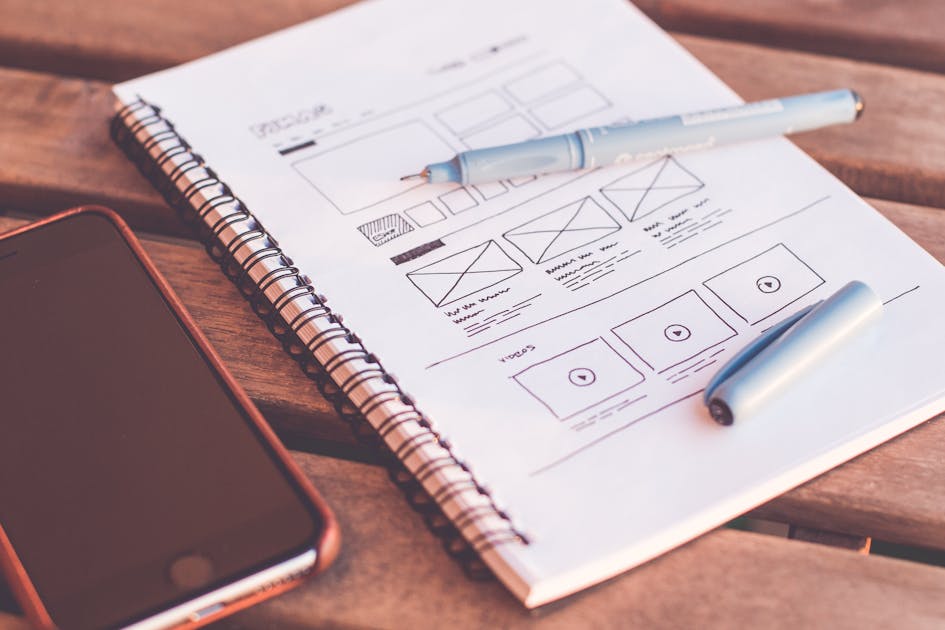
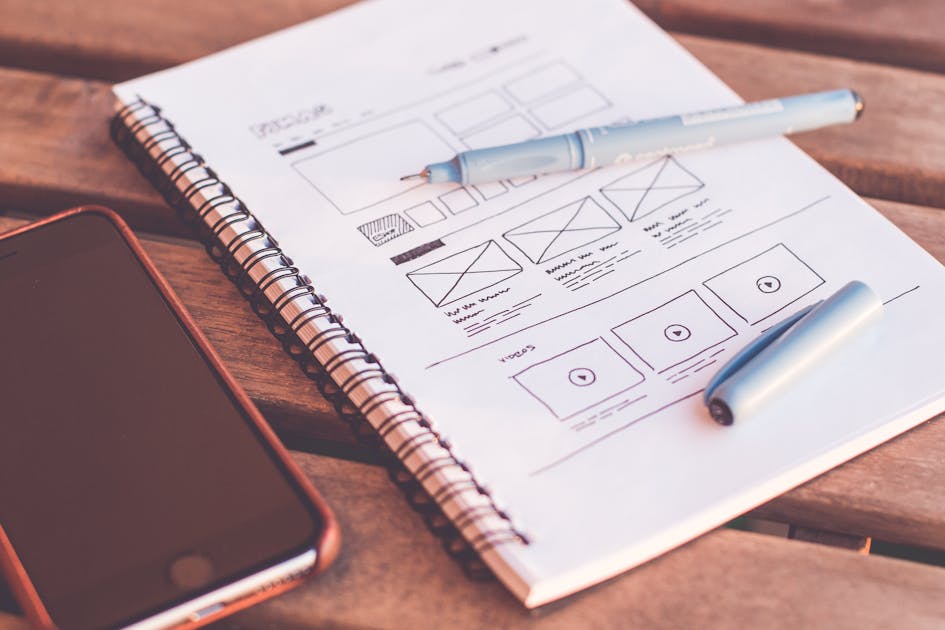
A professional web design agency should be able to clearly explain its process from start to finish: discovery and strategy, wireframing and information architecture, visual design, development, testing, and launch. They should set clear expectations around timelines, deliverables, revision rounds, and what happens after launch. Vague or evasive answers to these questions are red flags.
Communication and Collaboration
Your web design project will involve significant collaboration. You will need to provide feedback, make decisions, supply content, and work through challenges together. A designer who communicates clearly, responds promptly, explains decisions in plain language, and makes you feel like a genuine partner in the process will produce a better outcome than one who disappears for weeks and delivers a finished product with no explanation of the thinking behind it.
Post-Launch Support
Your website needs ongoing attention after launch: security updates, performance monitoring, content updates, analytics review, and periodic optimisation. Ask prospective partners about their post-launch support offering. A good agency sees the launch as the beginning of a relationship, not the end of a transaction. If you are ready to explore what a strategic web design partnership looks like, get in touch with iWebDsign and let’s start the conversation.
<h2 id="faq">Frequently Asked Questions
How long does it take to design and build a website in 2026?
The timeline for a professional web design project depends heavily on the complexity of the site, the speed of content delivery from the client, and the scope of custom functionality required. A well-structured small business website — up to ten pages, no custom integrations — typically takes six to ten weeks from strategy to launch. Larger sites with custom features, e-commerce functionality, or complex content management requirements can take three to six months. Be sceptical of promises of professional websites in under two weeks; in practice, these timelines rarely produce quality outcomes.
How much should a small business website cost in 2026?
The honest answer is that cost varies enormously based on what you need. A genuinely professional website for a small to medium-sized business, built on a solid platform with a custom design, good performance, and proper SEO foundations, typically ranges from $3,500 to $15,000+, depending on scope and the agency you work with. Template-based builds from freelance platforms may cost less upfront but often carry hidden costs in the form of limited scalability, poor performance, and the eventual need for a complete rebuild. Treat your website as a business investment, not a commodity purchase.
Should I use WordPress or a custom-built website?
For the majority of small and medium businesses, a well-built WordPress site represents the best balance of functionality, flexibility, performance, and cost. WordPress powers over 40% of all websites on the internet and has a vast ecosystem of quality themes, plugins, and developer support. Custom-built sites make sense when a business has highly specific technical requirements that WordPress cannot efficiently address, or when performance at scale is a critical consideration. The platform is less important than the quality of its implementation — a well-built WordPress site will outperform a poorly built custom site every time.
What is the most important page on my website?
The answer depends on your business model and how traffic reaches your site. For most service businesses, the homepage and the primary service or solutions pages are the most important — they receive the most traffic and are the most likely pages to convert visitors into enquiries. However, “most important” is not static; it is determined by data. Setting up analytics and monitoring which pages receive the most traffic, have the highest exit rates, and contribute most to conversions is essential for making informed decisions about where to invest design and content effort.
How do I know if my website needs a redesign?
There are several clear signals that a redesign is warranted: your site is more than three years old and has not been updated; it does not display well on mobile devices; it loads slowly (more than three seconds on a mobile connection); your conversion rate is low relative to your traffic; the design no longer reflects your current brand or positioning; or you are embarrassed to share the URL. Any one of these is a strong signal; multiple at once represent a real cost to your business in the form of lost leads and diminished credibility.
<h2 id="conclusion">Conclusion
Web design in 2026 is more sophisticated, more consequential, and more opportunity-rich than ever before. The businesses that treat their websites as strategic assets — built on solid foundations of UI/UX principle, technical performance, conversion focus, and genuine understanding of their users — will consistently outperform those that see their website as a one-time project to be completed and forgotten.
The good news is that excellence is accessible. You do not need a Fortune 500 budget to have a website that looks and performs like one. What you need is a clear strategy, a commitment to quality, and the right design partner — one who understands that every design decision should serve a business purpose and that the measure of a great website is not how it looks in a screenshot, but how it performs in the real world.
This web design guide 2026 has covered the core principles, the technical foundations, the trends worth your attention, and the questions you should be asking before starting your next design project. The next step is yours to take.
Ready to build a website that works as hard as you do? Book a Discovery Call with the iWebDsign team today and let’s talk about what your next website can achieve.
iWebDsign Team
05-13-2026
Ready to evolve?
Let's build a digital experience that drives real growth for your brand.
Let's Get In TouchTop Reads
Explore More