Productivity
9 min read
10 UX Principles Every Small Business Website Must Follow
Written By:
iWebDsign Team
Date:
May 25, 2026
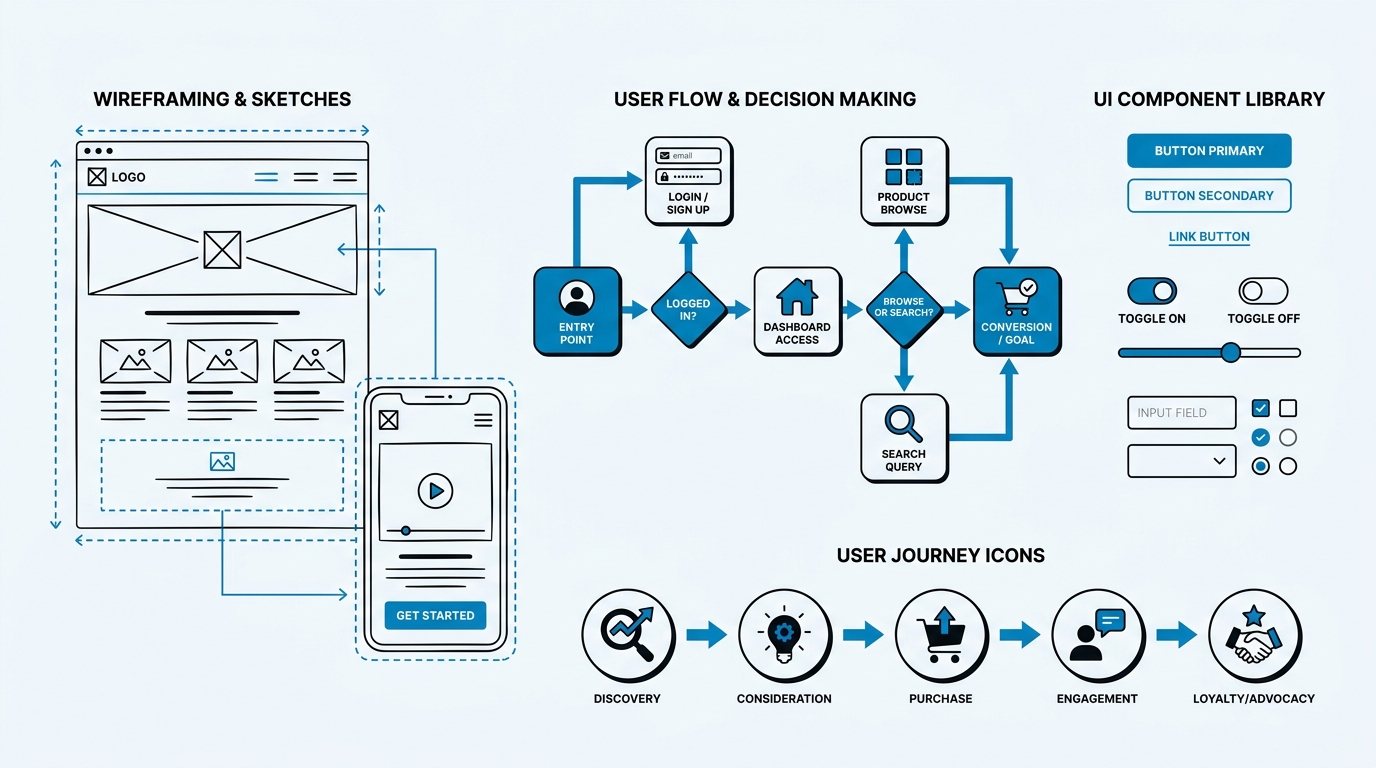
10 UX Principles Every Small Business Website Must Follow
By iWebDsign Team | 01 June 2026 | 19 min read
Your website has one job: to turn curious visitors into paying customers. Yet most small business websites quietly fail at that job every single day — not because the business isn’t good, but because the website ignores the fundamental UX principles for websites that separate a digital asset from a digital liability. UX, or user experience, is the invisible architecture behind every click, scroll, and conversion on your site. Get it right, and your website becomes your best salesperson. Get it wrong, and you’re paying hosting fees for a brochure nobody reads.
The good news? You don’t need a Fortune 500 budget to build a website that genuinely works. What you need is a clear understanding of the principles that drive user behaviour online — and the discipline to apply them consistently. Whether you’re launching your first site or questioning why your existing one isn’t converting, this guide covers the ten UX principles that every small business website must get right in 2026 and beyond.
These aren’t abstract design theory. Each principle here is grounded in research, validated by data, and directly applicable to the kind of websites that serve real businesses — from local service providers and professional consultancies to coaches, law firms, and e-commerce brands. Let’s get into it.
Table of Contents
- Why UX Principles Matter for Small Business Websites
- Principle 1: Clarity Over Cleverness
- Principle 2: Intuitive Navigation That Guides, Not Confuses
- Principle 3: Mobile-First Design Is Non-Negotiable
- Principle 4: Speed Is a Core UX Feature
- Principle 5: Visual Hierarchy Directs Attention
- Principle 6: Consistent Design Builds Trust
- Principle 7: Accessibility Means More Customers, Not Less
- Principle 8: White Space Is a Superpower
- Principle 9: Trust Signals Convert Browsers into Buyers
- Principle 10: Design for Iteration, Not Perfection
- Frequently Asked Questions
- Conclusion
Why UX Principles Matter for Small Business Websites
Before diving into the principles themselves, it’s worth understanding why UX carries such enormous weight for small businesses specifically. Large corporations can afford to lose visitors — their brand recognition means customers will often return even after a frustrating experience. Small businesses don’t have that luxury. Every visitor your website attracts represents real marketing spend or genuine organic effort. Losing them to poor UX is a cost you can’t afford to ignore.
The Numbers Behind User Experience
Research from the Nielsen Norman Group, the gold standard in UX research, consistently shows that users form an opinion about a website within the first 50 milliseconds of viewing it. That’s faster than a single blink. Within the first few seconds, visitors have already decided whether your site feels credible, easy to use, and worth their time. If the answer to any of those three questions is “no,” they’re gone — and they’ve taken their business with them.
The financial case for investing in user experience is equally compelling. Studies have repeatedly demonstrated that every £1 invested in UX returns between £10 and £100 in revenue. For a small business, that kind of return on investment transforms UX from a “nice to have” into a fundamental business decision.
What UX Actually Means for a Small Business
User experience encompasses everything a visitor encounters on your website: how quickly it loads, how easy it is to find information, how readable the text is, how trustworthy the design feels, and how smoothly the path from “interested” to “converted” flows. UX is not just about aesthetics — it’s about function, emotion, and outcomes. A beautiful website with poor UX is a sports car with the wrong fuel: it looks impressive but doesn’t take you anywhere.
The ten principles below address the full spectrum of UX — from the first impression to the final conversion. Apply them thoughtfully to your web design and development strategy, and you’ll have a website that works as hard as you do.
Principle 1: Clarity Over Cleverness
This is perhaps the most violated principle in small business web design. Business owners understandably want their website to reflect their personality and stand out from the crowd. That impulse is valid — but when “standing out” comes at the cost of clarity, it’s a net loss. Clever headlines, cryptic navigation labels, and abstract hero images might win design awards, but they rarely win customers.
What Clarity Looks Like in Practice
Clarity means a visitor should be able to answer three questions within five seconds of landing on your homepage: Who are you? What do you do? What should I do next? If your hero section can’t answer those three questions instantly, it needs rethinking. Your headline should describe exactly what you offer and who you serve. Your subheadline should explain the key benefit. Your primary call-to-action should tell visitors precisely what to do.
Compare these two headlines for a web design agency. Version A: “We craft digital experiences that transcend the ordinary.” Version B: “Custom websites for small businesses — designed to convert visitors into customers.” Version A is clever. Version B is clear. For a visitor who arrived via a Google search for “web design for small businesses,” Version B answers their question immediately and creates an instant connection. Version A leaves them wondering what “transcend the ordinary” actually means.
Applying the Clarity Principle Across Your Site
Clarity isn’t just a homepage concern — it applies to every page and every element on your website. Your service pages should describe what you do in plain language before reaching for industry jargon. Your about page should explain why you’re the right choice, not just who you are. Your contact page should make it obvious how to reach you and set expectations about response times.
Navigation labels are another common clarity failure. Labels like “Solutions,” “Resources,” or “Capabilities” are vague to the point of being useless. Replace them with specific, descriptive labels: “Services,” “Blog,” “Our Work,” or “Pricing.” Users should never have to guess where a link will take them. When in doubt, choose the clearer option — even if it feels less sophisticated. Your visitors will thank you with their business.
The clarity principle also extends to your visual design. Avoid using design elements that require explanation. If a button’s function isn’t instantly obvious, redesign the button. If a section of your page causes visitors to pause and think “what is this?”, simplify it. Cognitive load — the mental effort required to understand your website — is the enemy of conversion. Every unnecessary moment of confusion is a moment your visitor spends thinking about leaving.
Principle 2: Intuitive Navigation That Guides, Not Confuses
Navigation is the backbone of your website’s user experience. It’s how visitors move from awareness to interest to intent to action. Poor navigation is one of the top reasons users abandon websites — and one of the most fixable problems in web design. The goal of good navigation is to make the right path so obvious that users never have to think about where to go next.
The Architecture of Effective Navigation
Effective navigation starts with a clear information architecture — the organisational structure of your website’s content. Before designing a single menu, you should map out all the content on your site and group it logically from the perspective of your users, not your internal organisation. A common mistake is building navigation that reflects how the business thinks about itself rather than how customers think about their needs.
For most small business websites, a flat navigation structure — one with no more than five to seven top-level items — performs best. Research from the Interaction Design Foundation supports this, noting that users struggle to hold more than seven items in working memory simultaneously. When navigation exceeds that threshold, visitors begin making errors and experiencing frustration. Keep your primary navigation focused, and use footer navigation or secondary menus for less critical pages.
Mobile Navigation Deserves Special Attention
With the majority of web traffic now coming from mobile devices, mobile navigation is not a secondary concern — it’s a primary one. The hamburger menu (the three-line icon that reveals navigation on mobile) has become a universal convention, but it comes with a UX cost: hidden navigation is less discoverable than visible navigation. For small businesses whose conversions depend on visitors finding the right page quickly, consider whether key actions like “Contact Us” or “Get a Quote” should remain visible rather than hidden behind an icon.
Thumb-friendly design also matters enormously for mobile navigation. Tap targets — the clickable areas for navigation links and buttons — should be at least 44 by 44 pixels, as recommended by Apple’s Human Interface Guidelines. Anything smaller and users will either miss their intended target or give up trying. Test your navigation on actual mobile devices, not just in a browser simulator, to catch these kinds of friction points before they cost you customers.
Breadcrumbs, Search, and Internal Linking
For websites with more than a handful of pages, additional navigation aids become valuable. Breadcrumbs — the trail of links showing a user’s location within the site hierarchy — help users orient themselves and navigate back without hitting the browser’s back button. Internal search is invaluable for content-heavy websites, giving users a direct path to what they’re looking for. And internal linking — connecting relevant pages and articles throughout your site — not only supports SEO but also guides users deeper into your content at a natural pace. These elements work together to create a navigation ecosystem that serves visitors at every stage of their journey.
Principle 3: Mobile-First Design Is Non-Negotiable
Mobile-first design means exactly what it says: you design for the smallest screen first, then expand upward to larger screens. This is the opposite of the traditional approach, where desktop designs were scaled down for mobile — an approach that consistently produced cramped, broken mobile experiences. In 2026, with mobile devices accounting for the majority of global web traffic, mobile-first isn’t a trend. It’s the baseline.
Why Mobile-First Changes Everything
When you design mobile-first, you’re forced to make hard prioritisation decisions early. You can only fit so much content on a small screen, so you must decide what matters most. This constraint is actually a gift: it pushes you to identify your most critical content and calls to action, stripping away everything else. The result is a leaner, more focused experience that works beautifully on mobile — and translates well to larger screens when you expand the layout.
From a technical standpoint, Google has operated on a mobile-first indexing approach since 2019. This means Google’s crawlers evaluate your website’s mobile version as the primary version when determining search rankings. A site that looks great on desktop but performs poorly on mobile will be penalised in search results, reducing the organic traffic that feeds your business. Mobile-first design is therefore both a UX investment and an SEO investment.
Practical Mobile-First Design Decisions
Mobile-first design manifests in dozens of small decisions: using responsive typography that reads comfortably without zooming, ensuring images load at appropriate sizes for smaller screens rather than downloading full-resolution desktop images, keeping forms short and easy to complete on a touchscreen, and placing primary CTAs within easy thumb reach. Consider how your content reflows on small screens — does it remain logical and scannable, or does it collapse into a confusing wall of text?
Test your website on real devices, across multiple operating systems and browsers, before considering any design complete. Tools like Google’s PageSpeed Insights can flag technical mobile issues, but they can’t replace the experience of actually tapping through your site on a phone while sitting in a coffee shop. That real-world context reveals friction points that no automated tool will catch.
Principle 4: Speed Is a Core UX Feature
Page speed is often treated as a technical concern, delegated to developers or ignored entirely once a site goes live. In reality, speed is one of the most impactful UX factors on your website. It affects your first impression, your bounce rate, your search rankings, and ultimately your conversions. A slow website is a bad experience — full stop.
How Speed Affects Visitor Behaviour
The data on page speed and user behaviour is stark. According to Google’s research, as page load time increases from one second to three seconds, the probability of a user bouncing increases by 32 percent. At five seconds, that figure jumps to 90 percent. At ten seconds, users are 123 percent more likely to leave than on a one-second-loading page. For a small business website where every visitor represents real value, those numbers should be alarming.
Speed also has a compounding effect on trust. A slow website signals — fairly or not — that the business behind it is either outdated or doesn’t care about quality. First impressions are formed within milliseconds, and a spinning loader is not the first impression you want to make. Conversely, a fast, responsive website communicates professionalism, investment, and attention to detail — qualities that translate directly to perceived credibility.
The Most Common Speed Killers
For most small business websites, slow load times come from a predictable set of culprits: unoptimised images (the single biggest contributor on most sites), unminified CSS and JavaScript files, excessive third-party scripts like chat widgets and analytics tools, poor-quality hosting, and a lack of caching. Each of these issues has a well-established solution, and addressing them systematically can reduce load times dramatically — often by 50 percent or more. If you’re unsure where your site stands, running it through Google’s PageSpeed Insights or GTmetrix will give you a prioritised list of improvements to tackle.
At iWebDsign, every website we build is optimised for performance from the ground up — from image compression and lazy loading to server-side caching and clean, lightweight code. Speed is built into the architecture, not bolted on as an afterthought.
Principle 5: Visual Hierarchy Directs Attention
Visual hierarchy is the arrangement of design elements in a way that guides the viewer’s eye through a page in a deliberate order — from the most important information to the least. It’s one of the most powerful tools in a designer’s arsenal, and one of the most commonly misapplied on small business websites where “more is more” tends to be the prevailing philosophy.
The Building Blocks of Visual Hierarchy
Visual hierarchy is created through the deliberate use of size, weight, colour, contrast, and spacing. Larger elements attract attention before smaller ones. Bold text reads before regular weight. High-contrast colours draw the eye before muted ones. Elements with generous spacing around them feel more important than those that are crowded. These are not arbitrary preferences — they’re hardwired human perceptual tendencies that good designers understand and exploit intentionally.
On a well-designed page, your H1 headline is the largest, most prominent text element. Your primary CTA button uses your brand’s strongest accent colour, setting it apart from other interactive elements. Your body copy is set in a readable size and weight that communicates it’s supporting information, not the star of the show. Testimonials and trust signals are visually separated from your primary pitch but positioned close enough to reinforce it at the moment of consideration.
Common Hierarchy Mistakes on Small Business Sites
The most common hierarchy mistakes on small business websites include: making everything bold (which has the paradoxical effect of making nothing stand out), using the same visual treatment for primary and secondary CTAs (which confuses users about which action to prioritise), and placing important content below the fold without enough visual cues to encourage scrolling. Another frequent issue is the “wall of text” — large blocks of unbroken copy that lack visual hierarchy within the text itself, making it feel overwhelming and discouraging reading.
The fix is deliberate restraint. Identify your single most important action on each page and make sure the design visually amplifies it above everything else. Use H2 and H3 headings generously within your content to create hierarchy within sections. Break up text with relevant images, pull quotes, or data callouts that reward scanning before a visitor commits to reading in full. Visitors who scan before they read are not being lazy — they’re being rational, and your design should accommodate that behaviour.
Principle 6: Consistent Design Builds Trust
Consistency in design — consistent colours, typography, spacing, button styles, iconography, and voice — is the invisible thread that makes a website feel professional and trustworthy. Inconsistency, by contrast, creates a subconscious sense of disorder that erodes confidence in the brand behind the site. Users may not be able to articulate why they don’t trust an inconsistent website, but the feeling is real and it affects their behaviour.
Visual Consistency Across Every Page
Every page on your website should feel like it belongs to the same family. Your header and footer should be identical across the site. Button styles should be consistent — the same colour, shape, and size for the same type of action, across every occurrence. Headings should use the same typographic system throughout. Imagery should follow a consistent style: you can’t mix professional photography on one page with stock images on another without creating a jarring tonal inconsistency.
Typography consistency deserves particular attention. Limit your website to two typefaces at most — one for headings and one for body copy — and use them consistently throughout. Font size, line height, and letter spacing should follow a clear typographic scale that you apply uniformly. When typography is consistent, text becomes effortlessly readable. When it’s inconsistent, it creates cognitive friction that drains the mental energy visitors need for decision-making.
Consistency in Voice and Tone
Consistency extends beyond the visual to the verbal. The tone of your copywriting — whether it’s formal and authoritative or warm and conversational — should be consistent across every page. A homepage that speaks informally to the reader followed by a services page written in stilted corporate language creates a jarring disconnect. So does an about page that reads like it was written by a human and a contact page that reads like it was generated by a form builder.
Establish your brand voice as a clear set of guidelines — the adjectives that describe how you sound, the vocabulary you use and avoid, the way you address your reader — and apply those guidelines rigorously to every piece of copy on your site. This kind of consistency builds familiarity, and familiarity builds trust. Trust, in turn, builds conversions.
Principle 7: Accessibility Means More Customers, Not Less
Web accessibility — designing websites that can be used by people with disabilities — is frequently treated as a compliance exercise, something to consider only when there’s a legal risk of not doing so. This framing is both ethically reductive and commercially short-sighted. Approximately one billion people worldwide live with some form of disability. Many of these individuals are your potential customers. An inaccessible website doesn’t just exclude them — it loses their business.
The Practical Basics of Accessible Web Design
Accessible web design is built on four principles, codified in the Web Content Accessibility Guidelines (WCAG) as Perceivable, Operable, Understandable, and Robust — often abbreviated as POUR. In practice, achieving a strong baseline of accessibility involves: ensuring sufficient colour contrast between text and backgrounds (a minimum ratio of 4.5:1 for normal text), providing descriptive alt text for all meaningful images, making all interactive elements keyboard-navigable, using semantic HTML elements so screen readers can interpret page structure correctly, and ensuring that videos include captions for viewers who are deaf or hard of hearing.
These are not onerous requirements. Many of them are simply good design practice that benefits all users. High-contrast text is easier for everyone to read, particularly in bright outdoor light on a mobile screen. Descriptive link text (“Download the pricing guide” rather than “Click here”) is more useful for every visitor, not just screen reader users. Semantic HTML structure improves how search engines parse your content as well as how assistive technologies present it. Accessibility and good UX are far more aligned than they are at odds.
Why Accessibility Is Also an SEO Advantage
There’s a meaningful overlap between accessibility best practices and search engine optimisation. Search engines, like screen readers, rely on the semantic structure of your HTML to understand your content. Proper heading hierarchy, descriptive alt text, meaningful link text, and a logical content order all help both accessibility and crawlability. Building an accessible website is therefore a dual investment — in the inclusivity of your user experience and in the visibility of your business in search results. You can check your site’s current accessibility performance using free tools like resources from UX Planet and various browser-based accessibility auditors.
Principle 8: White Space Is a Superpower
White space — also called negative space — is the empty space around and between elements on a page. It is not wasted space. It is not space waiting to be filled. White space is an active design element that creates breathing room, establishes hierarchy, improves readability, and contributes enormously to the perception of quality and sophistication. The most premium brands in the world use generous white space deliberately. There’s a reason luxury retailers don’t fill their stores with product — the space itself is part of the experience.
How White Space Improves Comprehension and Conversion
Research has consistently shown that increasing white space around text improves comprehension by up to 20 percent. When text is cramped, the eye struggles to track lines cleanly and the brain works harder to separate one piece of information from another. Generous line height, ample margins, and meaningful spacing between sections reduce that cognitive load, making your content easier and more pleasant to read. Easier to read means more likely to be read — and content that is read has a far better chance of converting than content that is skimmed and abandoned.
White space also communicates value. A cluttered, dense website suggests scarcity thinking — a fear that empty space is opportunity lost. A spacious, airy website suggests confidence — a willingness to give each element the room it deserves to make an impact. Visitors process this difference intuitively, associating spacious design with quality and credibility. For small businesses competing against established players, this perception matters.
Applying White Space Strategically
Strategic white space doesn’t mean your page must be sparse. It means that the space on your page is intentional. Between sections, use substantial padding to create clear visual breaks that signal “one idea ends here, another begins there.” Around your calls to action, use extra margin to isolate them from surrounding content so they command attention rather than competing for it. Within your body copy, use paragraph breaks generously and avoid walls of unbroken text. In your navigation, give menu items room to breathe rather than crowding them together.
When in doubt, add more space rather than less. Most non-designers underestimate the power of white space and err toward filling every available pixel. Resist that instinct. The restraint you exercise in allowing space is exactly what creates room for your most important messages to land.
Principle 9: Trust Signals Convert Browsers into Buyers
A visitor lands on your website with a fundamental question running in the background: “Can I trust these people?” Everything on your site either adds to or subtracts from the answer to that question. Trust signals are the elements that answer it affirmatively — the proof points that demonstrate your credibility, reliability, and the value you’ve delivered to others. For small businesses, trust signals are especially critical because you often lack the brand recognition that makes large companies automatically trustworthy to most visitors.
The Most Effective Trust Signals for Small Business Websites
Client testimonials are the most powerful trust signal available to a small business. Not the vague, three-word variety (“Great service!” — Jane D.), but specific, outcome-focused testimonials that describe a real problem and a real result. The more specific a testimonial, the more credible it is — and the more it resonates with prospects who are in a similar situation. Complement testimonials with before-and-after case studies if your work lends itself to that format. You can see how this works in practice by browsing our portfolio — each project tells a story of transformation, not just a list of deliverables.
Third-party validation amplifies your own claims. Reviews from Google, Clutch, or industry-specific platforms carry weight precisely because they’re not under your control. Logos of clients you’ve worked with, awards you’ve received, press coverage you’ve earned, and professional associations you belong to all signal that external parties have evaluated and endorsed your work. Display these prominently — not buried in a footer, but woven into the pages where visitors are making decisions.
Technical Trust Signals That Many Businesses Overlook
Beyond social proof, technical elements communicate trust in ways that visitors process subconsciously. An HTTPS connection (signalled by the padlock in the browser bar) is now a basic expectation — a site without it triggers a security warning that will send most visitors immediately away. A professional email address ([email protected] rather than [email protected]) signals that you’re an established entity, not a side hustle. A physical address, phone number, and clear “about” information all reduce the perceived risk of doing business with you. These details seem minor, but they collectively build the platform of trust on which your sales pitch stands. If you’re ready to strengthen your own site’s trust foundation, get in touch with iWebDsign to explore how we approach trust-centred web design.
Principle 10: Design for Iteration, Not Perfection
The final UX principle is perhaps the most important shift in mindset for small business owners who approach their website as a one-time project rather than an ongoing asset. The idea that you can design a perfect website and then leave it unchanged is a myth — and an expensive one. User behaviour evolves. Technology changes. Your business grows and shifts. What your customers needed from your website two years ago may be quite different from what they need today. A website that isn’t regularly reviewed and improved is a website that’s quietly falling behind.
The Role of Data in UX Iteration
Iteration should be driven by data, not assumptions. Tools like Google Analytics reveal how visitors move through your site — which pages they enter on, which ones they exit from, how long they spend on each section, and where they drop off in your conversion funnel. Heatmapping tools show where users click, how far they scroll, and which elements attract the most attention. User testing — even informal sessions where you watch a real person try to complete a task on your site — consistently reveals friction points that no amount of internal review will ever uncover.
The key is to approach this data with genuine curiosity rather than defensiveness. When analytics show that most visitors to your pricing page immediately navigate away, that’s not a failure — it’s information. It tells you that something about the pricing page is mismatched to visitor expectations, and it points you toward an area to investigate and improve. A culture of data-driven iteration turns your website from a static brochure into a living, improving machine that continuously gets better at serving your business goals.
Starting Small: The A/B Testing Mindset
You don’t need to overhaul your entire website to start iterating. Small, focused tests can yield significant insights. Changing the copy on your primary CTA button and measuring whether the click-through rate improves is a simple A/B test that any business can run. Trying two different page headlines and tracking which version produces lower bounce rates requires no design expertise — just the willingness to experiment and the discipline to let data guide your decisions.
The businesses that extract the most value from their websites are not necessarily the ones that launched the best initial design. They’re the ones that treated launch as the beginning of an ongoing process and committed to systematically improving the experience over time. At iWebDsign, our web design services include post-launch analysis and optimisation recommendations, because we know that the best websites are built iteratively, not in a single sprint.
Frequently Asked Questions
What are the most important UX principles for small business websites?
The most critical UX principles for websites serving small businesses are clarity (making your purpose instantly obvious), intuitive navigation (so visitors never feel lost), mobile-first design (since most users are on smartphones), and clear trust signals (testimonials, reviews, and credibility indicators). Speed is also non-negotiable — a slow website will lose visitors before they ever read a word. Together, these five areas cover the most common UX failures seen on small business websites.
How much does it cost to improve the UX of a website?
UX improvements range from free (fixing copy clarity, improving alt text, reorganising navigation labels) to significant investment (full site redesign with user research and testing). Many impactful improvements — optimising image sizes for speed, increasing white space, rewriting vague headlines, adding testimonials — can be made without a full redesign. The most cost-effective approach is to audit your current site using free tools like Google PageSpeed Insights and Hotjar’s free tier, identify your biggest friction points, and address those systematically before committing to a full redesign budget.
How do I know if my website’s UX is hurting my business?
Key indicators that poor UX is costing you business include: a high bounce rate (visitors leaving immediately without interacting), low time on site, poor conversion rates despite reasonable traffic, and high exit rates on pages that should be driving action (like a pricing page or a contact page). Qualitative signals include customer feedback that they had trouble finding information, or support requests for things that should be obvious on the website. If you’re driving paid traffic to a site that doesn’t convert, UX is almost certainly part of the problem.
Is UX the same as web design?
UX and web design are related but distinct disciplines. Web design refers to the visual appearance and layout of a website — colours, typography, imagery, and style. UX design is a broader practice that encompasses how users interact with and experience the website as a whole — the structure, the flows, the content, and the emotional response the site creates. A website can look beautiful (good visual design) while still being frustrating to use (poor UX). The best web design integrates both disciplines, creating sites that are visually compelling and intuitively functional.
How long does it take to see results from UX improvements?
Some UX improvements produce near-immediate results. Fixing a broken mobile navigation or improving page load speed, for instance, can have measurable effects on bounce rates within days of implementation. Other improvements — like content strategy adjustments or trust-signal additions — build momentum over weeks and months as they compound with each other and as your search rankings respond. UX is not a single intervention with a single outcome. It’s a practice that produces progressively better results as you apply it consistently and learn from what the data tells you.
Conclusion
User experience is the difference between a website that works and a website that works for you. The ten UX principles covered in this guide — clarity, intuitive navigation, mobile-first design, speed, visual hierarchy, consistency, accessibility, white space, trust signals, and iterative improvement — are not isolated techniques. They’re a cohesive philosophy of putting your visitors’ needs at the centre of every design decision. When you do that consistently, the result is a website that feels effortless to use, credible to trust, and compelling enough to convert.
For small businesses, the stakes are especially high. You can’t afford to lose the visitors your marketing brings to a website that fails them. But you also don’t need a massive budget to build a website grounded in strong UX principles — you need clarity of purpose, attention to detail, and the willingness to keep improving based on what you learn.
If you’re not sure where your website currently stands against these principles, an expert audit can shine a light on the opportunities you’re missing. The iWebDsign team works with small businesses across a range of industries to design websites that are as effective as they are beautiful — combining deep UX thinking with clean, conversion-focused design.
Ready to take the next step? Book a Discovery Call and let’s talk about how your website can start working harder for your business.
iWebDsign Team
05-25-2026
Ready to evolve?
Let's build a digital experience that drives real growth for your brand.
Let's Get In TouchTop Reads
Explore More